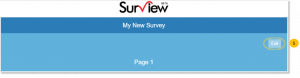





Exit Link gives an option to respondents to leave the survey without saving the responses entered or without completing the survey.
To show or hide Exit Link:
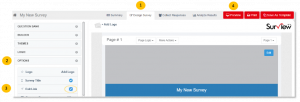
- Go to the Design Survey tab.
- Click Options.
- Tick the
 next to the Exit Link to display the exit link option to the survey.
 - Click the Preview to view the changes made.
- The Exit Link will be displayed on the upper right of the survey page.